
Running today at Mesa Gateway Airport.
Post a solicitation in minutes
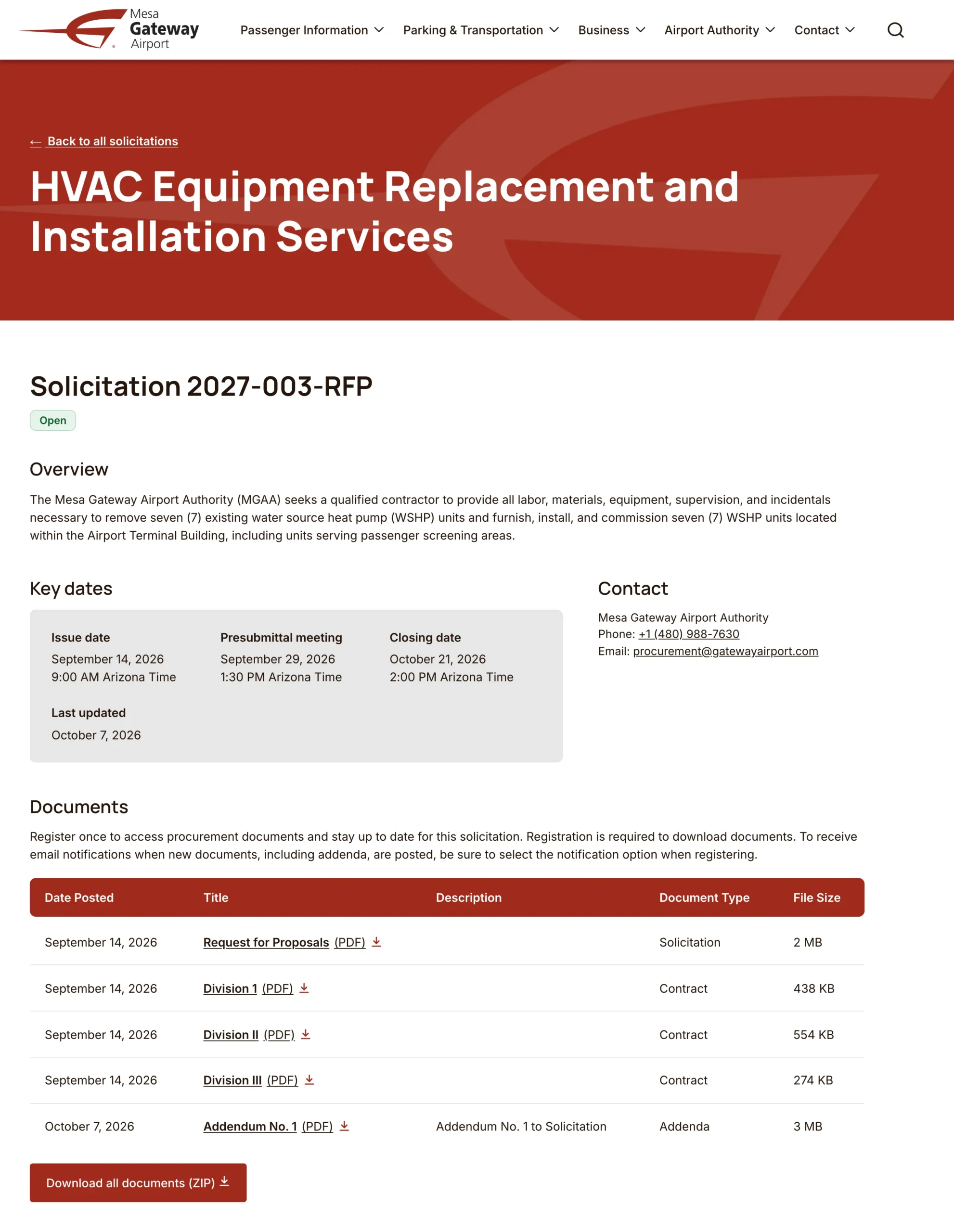
Add the solicitation number, type and description, set the closing date and time in your airport’s time zone, tag the industry categories it covers and attach the documents. Each document keeps its version, so an addendum never quietly replaces the original. PDFs are checked for accessibility as they’re uploaded, and editors are told which ones need work before vendors see them.
Status moves from Upcoming to Current to Closed when your team says so. Closed solicitations stay public as a record, with their documents open to anyone.
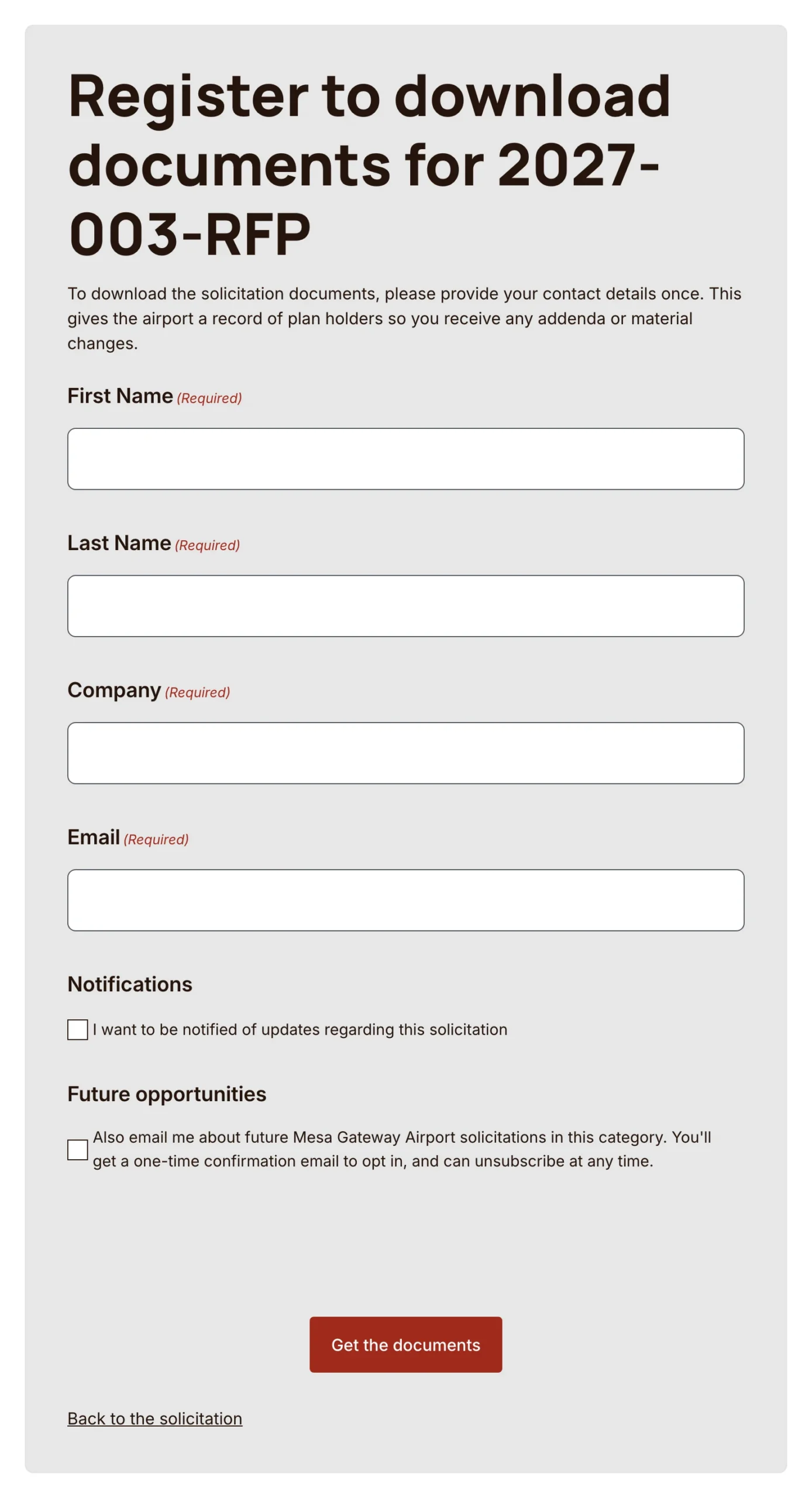
Documents one short registration away
Vendors give their name, company and email once per solicitation, then download any document or the whole set as a single zip file. That registration builds your plan-holder list as it happens, so there’s no spreadsheet to keep. If your rules call for it, downloads can lock at the closing time.
Vendors never pay to see your bids or to sign up for notices.
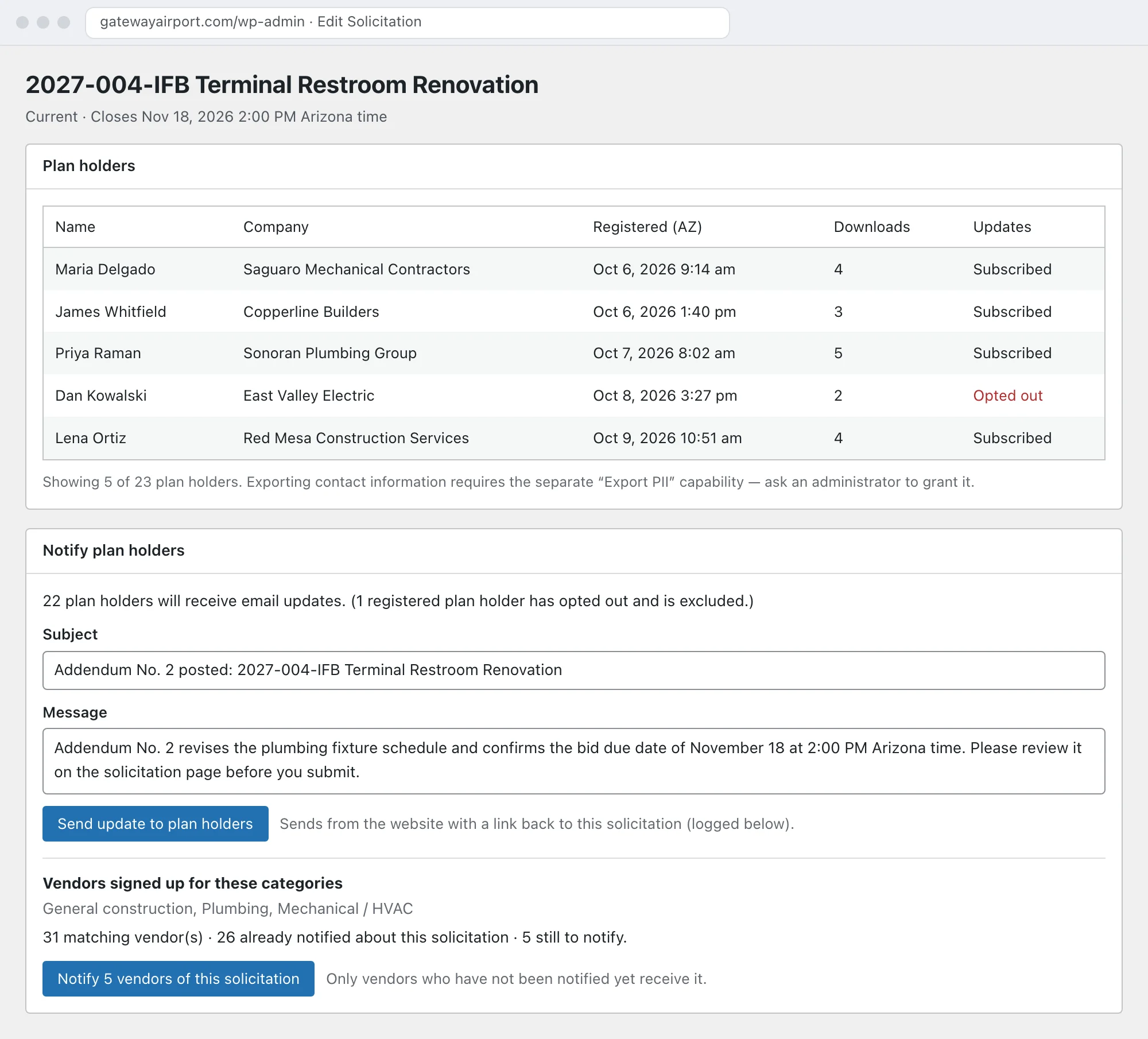
Every plan holder hears about every addendum
Post an addendum and send it to every registered plan holder with one button. Each email is logged with who it went to and when. Vendors can also opt in to a reminder a few days before the closing date, so fewer bids arrive late or not at all.
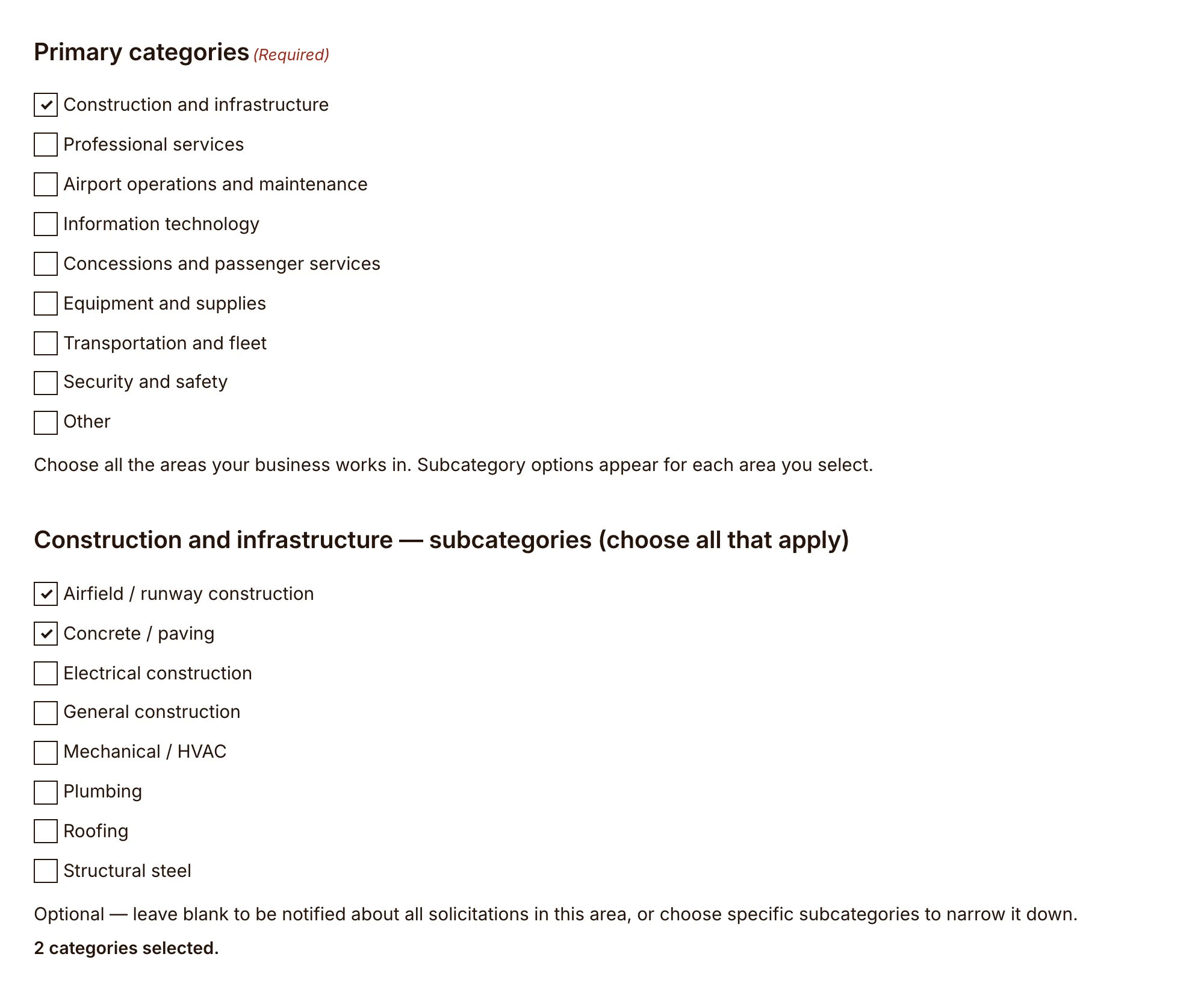
Vendors choose what they hear about
Vendors sign up for notices by area and category: 8 areas, from construction and infrastructure to security and safety, with 61 categories inside them. They confirm by email before anything is sent, and every notice has a link to change their categories or unsubscribe. When a new solicitation goes up, your team sends a notice to the vendors who chose its categories. Once a vendor unsubscribes, no list on the site emails them again.
Already have a vendor list? We import it, with each vendor’s categories.
Ready for a bid protest
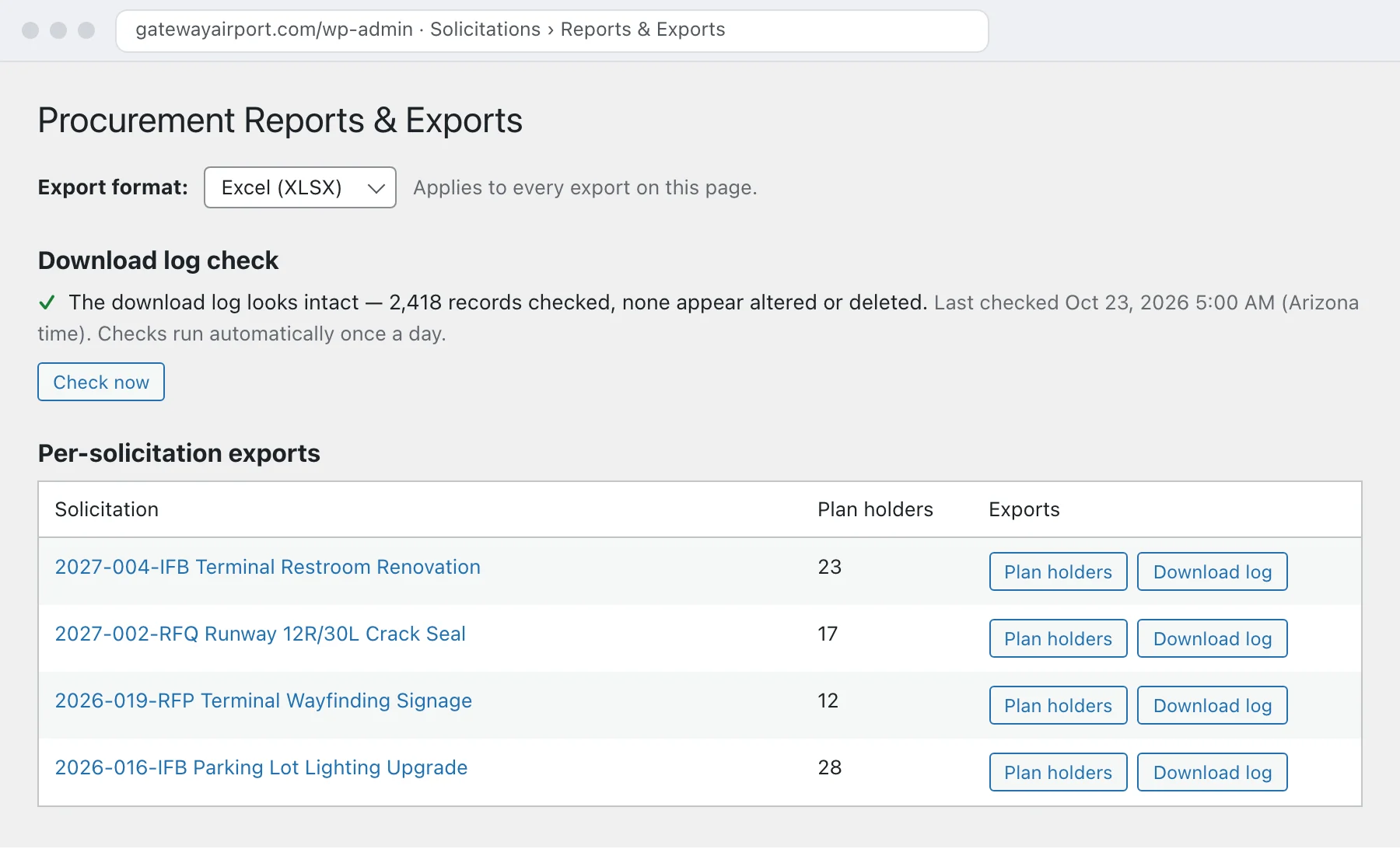
Every registration, every download and every email is recorded, and the download log can’t be quietly edited. Each record carries a fingerprint tied to the one before it, so a changed or deleted record shows up in a daily integrity check. Plan-holder lists, download logs and the vendor list export to Excel or CSV in seconds.
Contact details stay with the people who need them. Exports that include them are limited to staff you choose, and if your records rules call for it, contact details can be cleared automatically a set number of months after a solicitation closes, while the logs themselves are kept.
Made for procurement staff
- A Procurement Manager role that sees the procurement tools and nothing else in the website’s admin.
- Spam protection on every vendor form, plus limits on repeated sign-ups from the same network.
- Accessible to WCAG 2.1 AA, the Title II standard, like the rest of your site.
- Surplus property listed alongside your bids, linking to the auction site handling each sale.
- Your own email. Notices go out through your Microsoft 365 or Google Workspace account, from an address like procurement@ your airport’s domain, so replies come back to your team.
What it looks like day to day
Addendum on a Friday afternoon
Engineering revises a drawing two days before bids are due. Your buyer uploads Addendum 2, clicks once, and all 23 plan holders have it in their inbox before they leave for the weekend. The log shows exactly when each one went out.
A protest letter
A bidder says they never received Addendum 1. You export the download log and the email log for that solicitation: they registered, downloaded the addendum and received the notice. The integrity check shows the log hasn’t been touched.
A new vendor in town
A paving contractor signs up for Construction and infrastructure notices. Next month’s runway rehabilitation solicitation reaches them, along with every other vendor in that category, with no one forwarding emails by hand.
For your IT team
The details your IT and records staff will ask about, in one place.
Technical details: data, downloads, email and records
- Where it lives. A plugin on your WordPress site. Solicitations are regular content; plan holders, vendors, downloads and emails are kept in their own database tables, not in a vendor’s cloud.
- Downloads. The solicitation page links only to a signed download address that checks the vendor’s registration before sending the file, and every download is logged.
- Email. Sent through an authenticated connector to your Microsoft 365 or Google Workspace account, queued so a slow mail server never holds up a vendor, and retried automatically if a send fails. Staff are alerted if messages can’t be delivered.
- Signed links. Confirmation, manage and unsubscribe links are signed, so they can’t be guessed or forged.
- Records. The audit log is append-only. Contact-detail clearing is off unless your airport turns it on.
See a solicitation from both sides
We’ll walk you through posting one, registering as a vendor and sending an addendum on a live airport site.